Move off XTRF without a big-bang cutover
LanguageOps runs the business side of a language company (clients, vendors, rate cards, quotes, POs and invoices) in the same system as the CAT editor, translation memory, AI and QA. Bring your XTRF data across in stages, run both side by side, and switch when the numbers match.
- Rate cards and CAT grids migrated
- Parallel running, nothing deleted
- Editor, AI and QA included
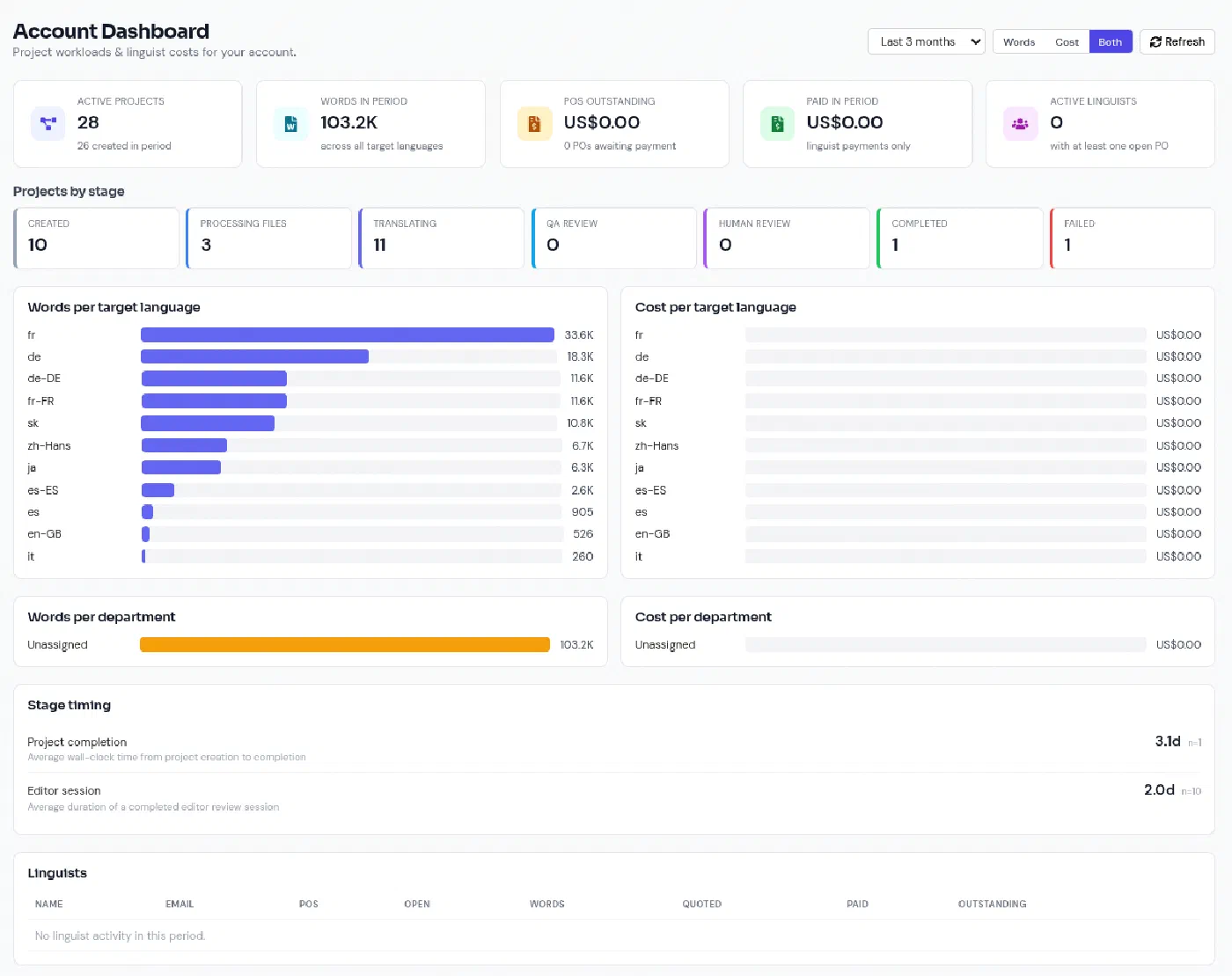
A business system on one side, the translation work on the other
XTRF is a capable translation business management system, but the work itself happens somewhere else: a CAT tool or TMS connected through integrations, with word counts, assignments and deliveries passed back and forth. Every hand-off is another sync to maintain, another licence, and another place for the numbers to drift apart.
-
One system instead of two or three
Quotes, projects, vendors, purchase orders and invoices sit beside the editor, memory, terminology, AI translation and LQA. The analysis that prices the job is the one that pays the linguist.
-
A migration you can rehearse
Import a sample first, review exactly what would change before anything is written, then widen to your full client and vendor base. Re-running the import is safe.
-
Simple or advanced
Teams that only need clients, quotes and invoices can switch to simple mode and hide workflows, rate cards, jobs and purchase orders. Agencies that want the full LSP toolset keep it.
From your XTRF instance to LanguageOps, in four steps
- Discover
Inventory your instance
We read your XTRF instance through its Home API: how many clients, vendors, projects and quotes, which custom fields you use, and which data needs the export macro.
- Extract
Take a read-only snapshot
A small, read-only export macro (which your XTRF administrator reviews and installs) brings out rate cards, minimum charges, CAT grids and payment terms that the standard API does not expose.
- Plan
Review before anything changes
Every import starts as a plan: what will be created, updated or skipped, and any conflicts. Nothing is written until you apply the plan you reviewed.
- Run in parallel
Shadow XTRF, then switch
Re-sync as often as you like while XTRF is still live. Only changed records update, local edits are flagged rather than overwritten, and nothing is ever deleted.
The commercial data your agency actually runs on
The parts of XTRF that are hardest to rebuild by hand are the ones the migration focuses on first.
Clients and contacts
Company details, billing and correspondence addresses, VAT and company numbers, contact people, and the client’s status.
Vendors and linguists
Provider records, status, contact details and language combinations, so your supply chain is in place on day one.
Price profiles and rate cards
Every client and vendor price profile, with rates by job type, unit, language pair and specialisation, in their original currency and full precision.
CAT grids
Match-band discounts (context, repetitions, 100%, 95-99% and down to no match) per price profile, converted to LanguageOps analysis bands.
Minimum charges and payment terms
Minimum fees per rate, and payment terms as structured rules, including end-of-month terms and staged payments.
Custom fields
Client and vendor custom fields are preserved with each imported record, so nothing you track in XTRF is silently dropped.
Stable identities
Each record keeps its XTRF ID, so repeat imports update the right record instead of creating duplicates.
Email quote requests
Connect the shared quotes mailbox (Microsoft 365 or Gmail). LanguageOps reads it, recognises quote requests, extracts languages, deadline and volume, and suggests the client.
Business management and the full TMS in one subscription
The business side (quotes, POs, supplier and client invoicing, Xero sync) is the Operations module: £500/month on Professional or Team, included in Agency and Enterprise. The CAT editor, translation memory, terminology, AI translation and QA are on every plan, with unlimited production collaborators. Migration support is scoped with you during onboarding.
What migrates from XTRF, and how
XTRF exposes most records through its Home API, but not all of them. Rate cards, CAT grids and payment terms live deeper in its object model, so the migration combines the API with one reviewed, read-only export macro.
| XTRF data | How it is read | In LanguageOps |
|---|---|---|
| Clients, addresses, tax numbers | Home API | Client accounts with billing details |
| Client contact persons | Export macro | Client contacts |
| Vendors and language combinations | Home API | Provider records and language pairs |
| Price profiles and rates | Export macro | Price profiles and rate rules per job type, unit, language pair and specialisation |
| CAT grids | Export macro | Match-band percentages per rate |
| Minimum charges | Export macro | Minimum charge per rate |
| Payment terms | Export macro | Structured payment terms, including end of month |
| Custom fields | Home API and macro | Preserved with each client and vendor record |
| Projects, quotes, invoices | Home API | Later migration stage, reconciled before cutover |
Rates are imported in their original currency and full precision, never from converted base-currency columns, so a rate of 0.065 stays 0.065.
Running XTRF and LanguageOps in parallel
Most agencies cannot stop trading for a migration weekend, so the import is designed to be run repeatedly while XTRF stays the system of record:
- Snapshots: each extraction is an immutable, checksummed snapshot of a defined set of clients and vendors, so you can compare one week with the next.
- Change detection: records are compared by content, ignoring counters such as “last project date”. Only real changes show up.
- Conflicts, not overwrites: if a record changed in XTRF and was also edited in LanguageOps, it is flagged for review by default. You can choose to let XTRF win or to keep the LanguageOps edit instead.
- No deletions: rates that disappear from XTRF get an end date, and price profiles are deactivated, so quotes priced on them keep their history.
- Approved plans only: an import applies the exact plan you reviewed and refuses to run if the data changed in the meantime.
When the parallel run shows LanguageOps pricing the same jobs the way XTRF does, you freeze changes in XTRF, run a final sync and switch.
Quote requests straight from your inbox
Many quote requests still arrive as an email with a file attached. LanguageOps can read your shared quotes mailbox on Microsoft 365 or Gmail:
- New mail is read every few minutes. LanguageOps only reads it, and never sends, moves or deletes messages.
- Each email is checked for a quote request, and the source and target languages, service, deadline, word count and reference are extracted.
- The sender is matched to a known client by contact email, billing email or company domain, as a suggestion for the project manager to confirm.
- The project manager converts the request. Attachments are size-checked and virus-scanned, and a work request is created, ready to become a draft quote.
Email content is treated as data, never as instructions, and nothing is sent to the client without a person deciding to send it. For teams that use privacy mode, triage runs only on a local model.
XTRF and LanguageOps compared
| XTRF | LanguageOps | |
|---|---|---|
| Clients, vendors, quotes, POs, invoices | Yes | Yes |
| Built-in CAT editor | No, integrates with external CAT tools | Yes |
| Translation memory and terminology | Through the connected CAT tool | Built in |
| AI translation with your memory and terms | Through connected tools | Built in, model per job |
| Automated QA and LQA | Through connected tools | Built in |
| Accounting | Accounting integrations | Xero sync |
| Licences to manage | Business system plus CAT tool or TMS | One subscription |
Moving from Plunet instead? See the Plunet alternative page. If you would rather keep XTRF for now, LanguageOps can also sit underneath it as the production system, and the translation project management and translation management system pages cover each side in more detail. For annual cost comparisons across TMS vendors, see the TMS pricing comparison.
XTRF and Plunet are trademarks of their respective owners. LanguageOps is not affiliated with or endorsed by them. Comparison reflects publicly available information at the time of writing.
Switching from XTRF, explained
Can I migrate my rate cards and CAT grids from XTRF?
Do we have to switch everything off on one day?
Is the migration read-only on the XTRF side?
What happens to our historical projects, quotes and invoices?
Will duplicate clients be created if we already started using LanguageOps?
Can LanguageOps turn emailed quote requests into work?
Do you also migrate from Plunet?
Does LanguageOps have a translation editor, or do we still need a CAT tool?
See your XTRF data in LanguageOps
Book a walkthrough. We will run a discovery against your XTRF instance and show you a sample of your own clients, vendors and rate cards in LanguageOps before you commit.