Run the business and the translation work from one system
LanguageOps covers what agencies use Plunet BusinessManager for (customers, vendors, price lists, quotes, orders, purchase orders and invoices) and puts it beside the CAT editor, translation memory, terminology, AI translation and QA. Move your Plunet data across in stages and keep Plunet live until the numbers match.
- Price lists and CAT discounts migrated
- Parallel running, nothing deleted
- Editor, AI and QA included
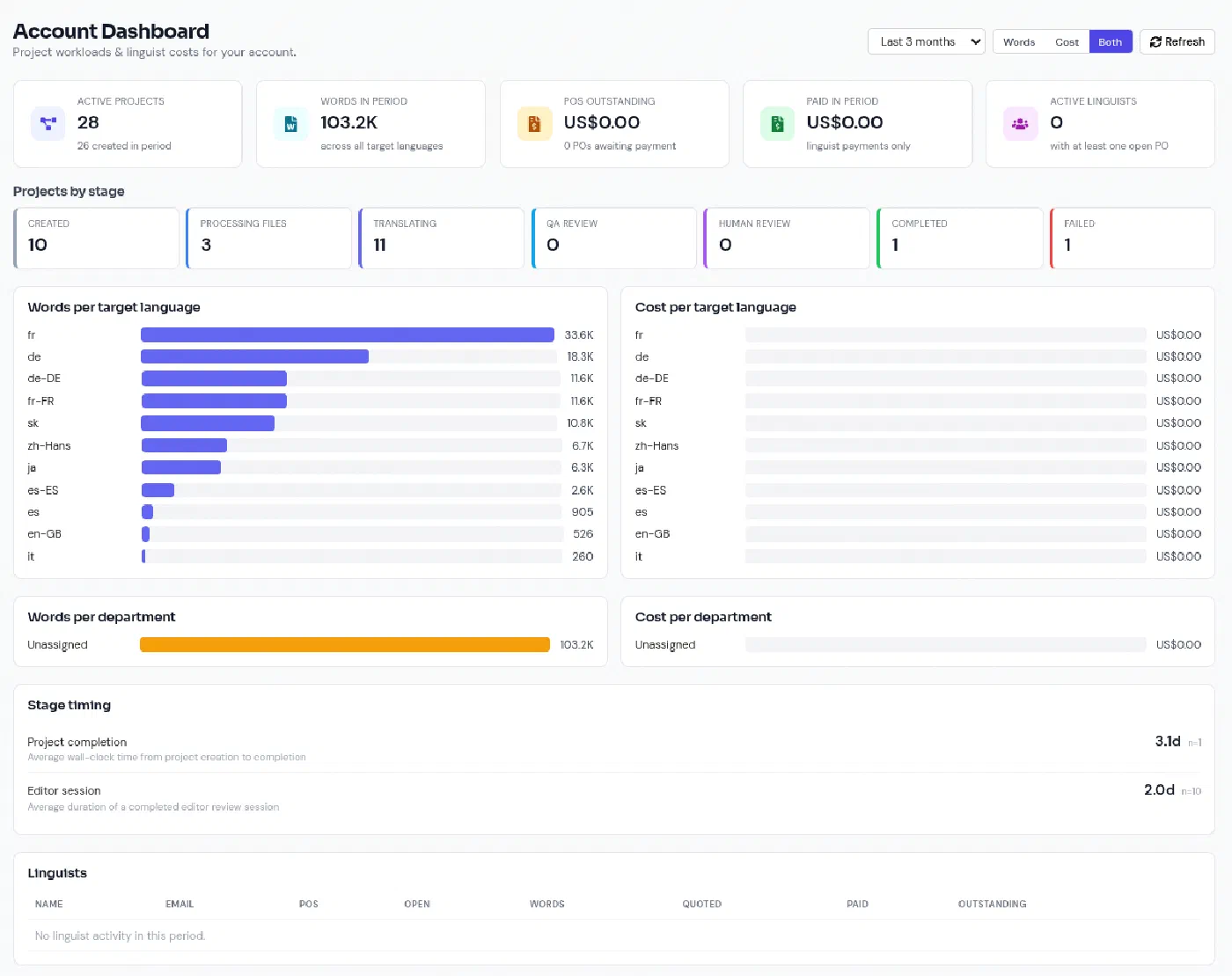
Fewer systems between the quote and the delivered file
Plunet is a mature translation business management system, and it connects to more than twenty CAT tools. That connection is the point: the translation itself still happens in a separate CAT tool or TMS, with its own licences, its own copy of the word counts and its own sync to maintain. LanguageOps does both jobs in one place.
-
One set of records
The file analysis that prices the quote is the same one that sets the vendor’s purchase order. No re-keying word counts between a business system and a CAT tool.
-
A migration you can rehearse
Start with a sample of your customers and resources, review a plan of every change before anything is written, then widen to the full data set. Re-running the import is safe.
-
Simple or advanced
Small teams can switch to simple mode and work with just clients, quotes and invoices. Agencies that rely on workflows, rate cards, jobs and purchase orders keep the full toolset.
From Plunet to LanguageOps, in four steps
- Scope
Agree what moves first
We look at a sample export of your Plunet data with you: customers, contacts, resources, price lists, CAT discount schemes and payment terms, plus the properties and text modules you rely on.
- Extract
Read your data, change nothing
Data is read from Plunet through the Plunet API (which needs an API user on your Plunet licence) or from exports your administrator provides. Nothing is written back to Plunet.
- Plan
Review before anything changes
Every import starts as a plan: what will be created, updated or skipped, and any conflicts. Nothing is written until you apply the plan you reviewed.
- Run in parallel
Shadow Plunet, then switch
Re-sync while Plunet stays your system of record. Only changed records update, local edits are flagged rather than overwritten, and nothing is deleted.
The commercial data your agency runs on
The migration starts with the data that new work is priced and assigned from, because that is the hardest to rebuild by hand.
Customers and contacts
Company details, billing addresses, VAT numbers, contact people and status, each keeping its Plunet ID so repeat imports never duplicate.
Resources and vendors
Freelance and company resources with their contact details, status and language combinations, so your supply chain is in place on day one.
Price lists
Customer and resource price lists with prices by service, unit, language pair and subject, in their original currency and full precision.
CAT discount schemes
Fuzzy-match discounts (context, repetitions, 100%, the fuzzy bands and no match) converted to LanguageOps analysis bands, so a job is priced band by band from the file analysis.
Minimum charges and payment terms
Minimum fees per price, and payment terms as structured rules, including end-of-month terms.
Properties and custom data
Plunet properties and text modules you use on customers and resources are kept with each imported record, so nothing is silently dropped.
Email quote requests
Connect the shared quotes mailbox (Microsoft 365 or Gmail). LanguageOps reads it, recognises quote requests, extracts languages, deadline and volume, and suggests the customer.
Job offer rounds
Offer a job to the vendors who cover the language pair, everyone at once or one at a time, with a deadline to answer, reminders and automatic hand-on to the next vendor.
Xero invoicing
Client invoices, supplier bills, credit notes and payments sync to Xero, with each record linked to its Xero counterpart so nothing posts twice.
Business management and the full TMS in one subscription
The business side (quotes, POs, supplier and client invoicing, Xero sync) is the Operations module: £500/month on Professional or Team, included in Agency and Enterprise. The CAT editor, translation memory, terminology, AI translation and QA are on every plan, with unlimited production collaborators. Migration support is scoped with you during onboarding.
What migrates from Plunet, and how
Plunet keeps most of its data behind the Plunet API, a SOAP interface licensed per API user. Where an API user is not available, your administrator can provide exports instead. Either way, LanguageOps maps the data into the same plan-and-review import used for XTRF migrations.
| Plunet data | In LanguageOps |
|---|---|
| Customers, addresses, tax numbers | Client accounts with billing details |
| Customer contacts | Client contacts |
| Resources and language combinations | Provider records and language pairs |
| Customer and resource price lists | Price profiles and rate rules per service, unit, language pair and subject |
| CAT discount schemes | Match-band percentages per rate |
| Minimum charges | Minimum charge per rate |
| Payment terms | Structured payment terms, including end of month |
| Properties and text modules | Preserved with each customer and resource record |
| Quotes, orders, invoices | Later migration stage, reconciled before cutover |
Prices are imported in their original currency and at full precision, never from converted base-currency values, so a price of 0.065 stays 0.065.
Running Plunet and LanguageOps in parallel
Few agencies can stop trading for a migration weekend, so the import is built to be run repeatedly while Plunet remains the system of record:
- Snapshots: each extraction is a checksummed snapshot of a defined set of customers and resources, so one week can be compared with the next.
- Change detection: records are compared by content, ignoring counters and timestamps, so only real changes show up.
- Conflicts, not overwrites: a record that changed in Plunet and was also edited in LanguageOps is flagged for review by default.
- No deletions: prices that disappear get an end date and price lists are deactivated, so quotes priced on them keep their history.
- Approved plans only: an import applies the exact plan you reviewed and refuses to run if the data changed in the meantime.
When the parallel run shows LanguageOps pricing the same jobs the way Plunet does, you freeze changes in Plunet, run a final sync and switch.
Pricing a job from the file analysis
In a setup where the business system and the CAT tool are separate, the word count usually travels from one to the other. In LanguageOps the analysis runs on the project’s own files: the words in each match band are multiplied by the band’s percentage from the client’s price list, and the project manager previews the receivable per target language before adding it. Minimum charges are applied automatically, and each line keeps the band breakdown it was priced from.
Plunet and LanguageOps compared
| Plunet | LanguageOps | |
|---|---|---|
| Customers, vendors, quotes, orders, POs, invoices | Yes | Yes |
| Built-in CAT editor | No, integrates with 20+ CAT tools | Yes |
| Translation memory and terminology | Through the connected CAT tool | Built in |
| AI translation with your memory and terms | Through connected tools | Built in, model per job |
| Automated QA and LQA | Through connected tools | Built in |
| Accounting | Accounting integrations | Xero sync |
| Licences to manage | Business system plus CAT tool or TMS | One subscription |
If you would rather keep Plunet for now, LanguageOps can also sit underneath it as the production system. The translation project management and translation management system pages cover each side in more detail, and the TMS pricing comparison covers annual costs across vendors.
Plunet and XTRF are trademarks of their respective owners. LanguageOps is not affiliated with or endorsed by them. Comparison reflects publicly available information at the time of writing.
Switching from Plunet, explained
Can I migrate my Plunet price lists and CAT discounts?
What do we need on the Plunet side?
Do we have to switch everything off on one day?
What happens to our historical orders and invoices?
Does LanguageOps replace our CAT tool as well?
Does LanguageOps have Plunet-style job offer rounds?
Which accounting system does LanguageOps connect to?
Do you also migrate from XTRF?
See your Plunet data in LanguageOps
Book a walkthrough. Send us a sample export and we will show you a selection of your own customers, resources and price lists in LanguageOps before you commit.