Take video from source audio to translated delivery
Transcribe speech, edit the script, translate subtitles, generate target-language voices, and prepare dubbed media in one connected workflow. For larger programmes, run speech-to-text or text-to-speech across batches instead of processing every file by hand.
- Video editor
- Subtitles
- AI dubbing
- Batch STT & TTS
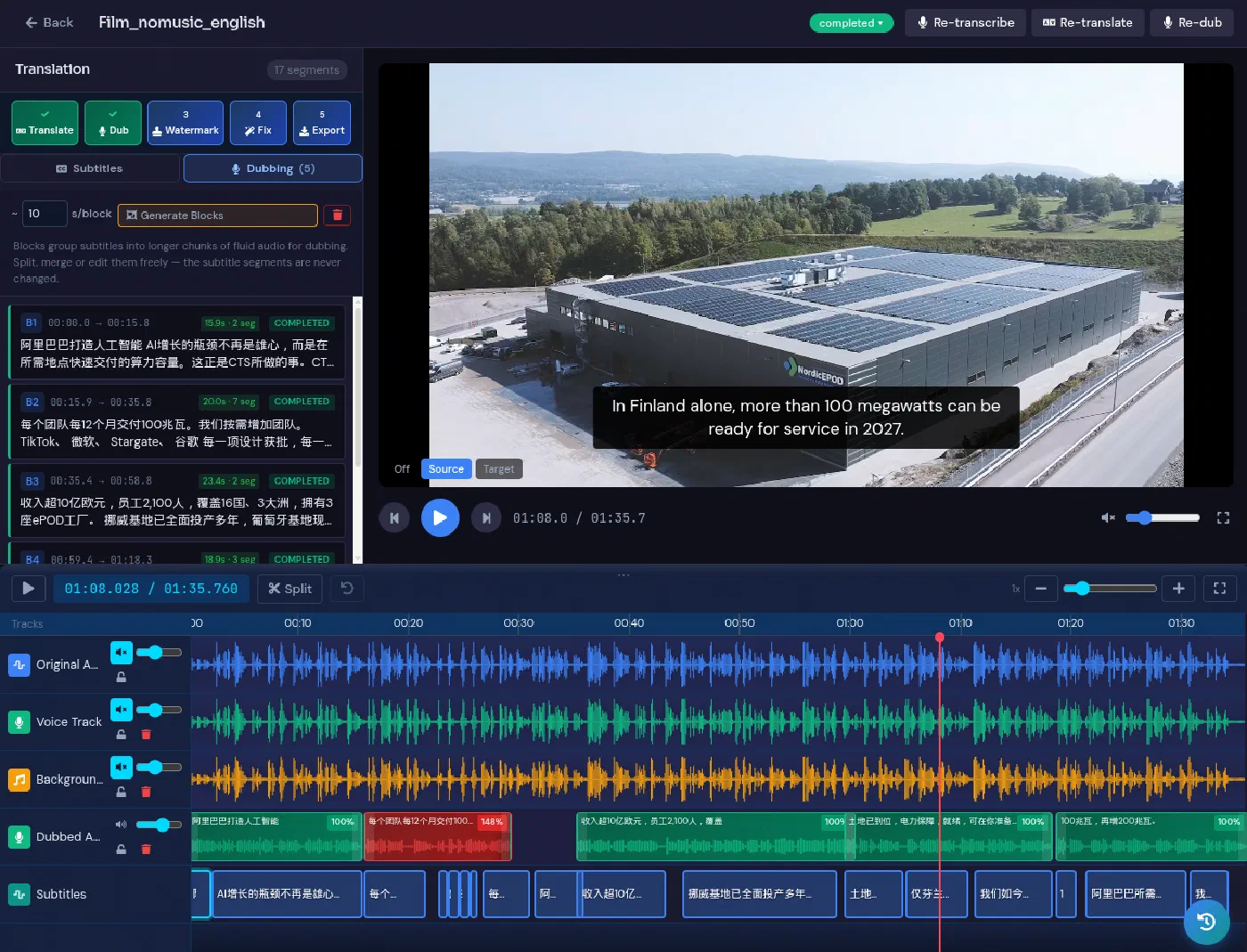
Keep the transcript, translation, timing, and voice together
AV localisation breaks down when scripts, subtitle files, voice generation, and review live in separate tools. LanguageOps connects those stages around the same media and language assets.
-
Subtitles with context
Edit timed segments beside the video, translate with project memory and terminology, and review wording against the picture and surrounding dialogue.
-
AI voice generation
Turn an approved translated script into target-language audio, then review pacing and delivery before producing the final media.
-
Connected review
Corrections to transcripts, translations, names, and terms remain part of the project instead of being lost between subtitle and audio tools.
From upload to subtitles and dubbed audio
- Ingest
Add the source media
Upload video or audio and create a timed transcript with speech-to-text, or bring in an existing script or subtitle file.
- Prepare
Correct and segment
Review the transcript, speaker turns, names, terminology, and timing before translation begins.
- Localise
Translate and generate
Translate subtitles with memory and terminology, then generate target-language speech from the approved script where dubbing is required.
- Deliver
Review and export
Check subtitles and audio against the video, make final corrections, and export the required subtitle, script, audio, or video deliverables.
A video editor that understands language
The video stays visible while translators and reviewers work with the same language resources used elsewhere in LanguageOps.
Timed segment editing
Work through timestamped dialogue, adjust text in context, and keep subtitle timing connected to the source media.
Translation memory and terminology
Reuse approved translations and enforce names, product language, and client terminology across subtitles and scripts.
Text-to-speech production
Generate speech from approved target scripts and keep voice production inside the same project workflow.
Human review and approval
Let translators, reviewers, and media teams check the words, timing, and output before delivery.
When one file becomes hundreds
Use the same workflow across larger volumes of recordings and scripts without opening and processing each asset individually.
-
Batch STT and transcription
Queue multiple audio or video files for speech-to-text, produce transcripts at scale, and route the results into translation or review.
-
Batch TTS
Generate target-language audio across a batch of approved scripts for training, product, accessibility, or content programmes.
-
One operational view
Track jobs, language activity, and AI usage from the account dashboard while the batch moves through processing.
Prepare the deliverable your channel needs
- Reviewed transcripts
- Translated subtitle files
- Approved target-language scripts
- Generated voice tracks
- Dubbed video outputs
- Reusable memory and terminology
Use the tools you need without buying another disconnected product
AV dubbing, subtitling, transcription, and voice generation are included with LanguageOps. AI-assisted processing uses AI tokens from your account usage.
Video localisation questions
Can LanguageOps create subtitles from a video?
Can we generate dubbed audio from the translated script?
What are batch STT and batch TTS?
How is AI usage charged?
Bring your next subtitle or dubbing project into one workflow
See the video editor, test a source file, or talk through a larger batch transcription and voice programme.