Campaign Assets
Prepare, translate, check, review and deliver campaign assets with project context and reusable language assets.
Marketing and Creative Agencies language operations
LanguageOps helps agencies managing multilingual client work translate, QA, LQA, edit and approve multilingual content without losing control of files, terminology or deadlines.
Content in scope
Prepare, translate, check, review and deliver campaign assets with project context and reusable language assets.
Prepare, translate, check, review and deliver client decks with project context and reusable language assets.
Prepare, translate, check, review and deliver social content with project context and reusable language assets.
A concrete quality problem
Separate memories and style rules keep concurrent client campaigns from contaminating one another.
Check numbers, units, codes, tags, placeholders, terminology and repeated content deterministically.
Assess accuracy, completeness, fluency, terminology and style against the source, brief and marketing and creative agencies context.
Use the right starting point
Operational benefits
Automate file preparation, first-pass translation, checking and routing while reviewers focus on decisions.
Combine objective QA with cross-lingual LQA and visible human approval.
Run many files, languages and assignments with recoverable background jobs and progress tracking.
Reuse approved memory, terminology, style guides and final editorial decisions.
Inside LanguageOps
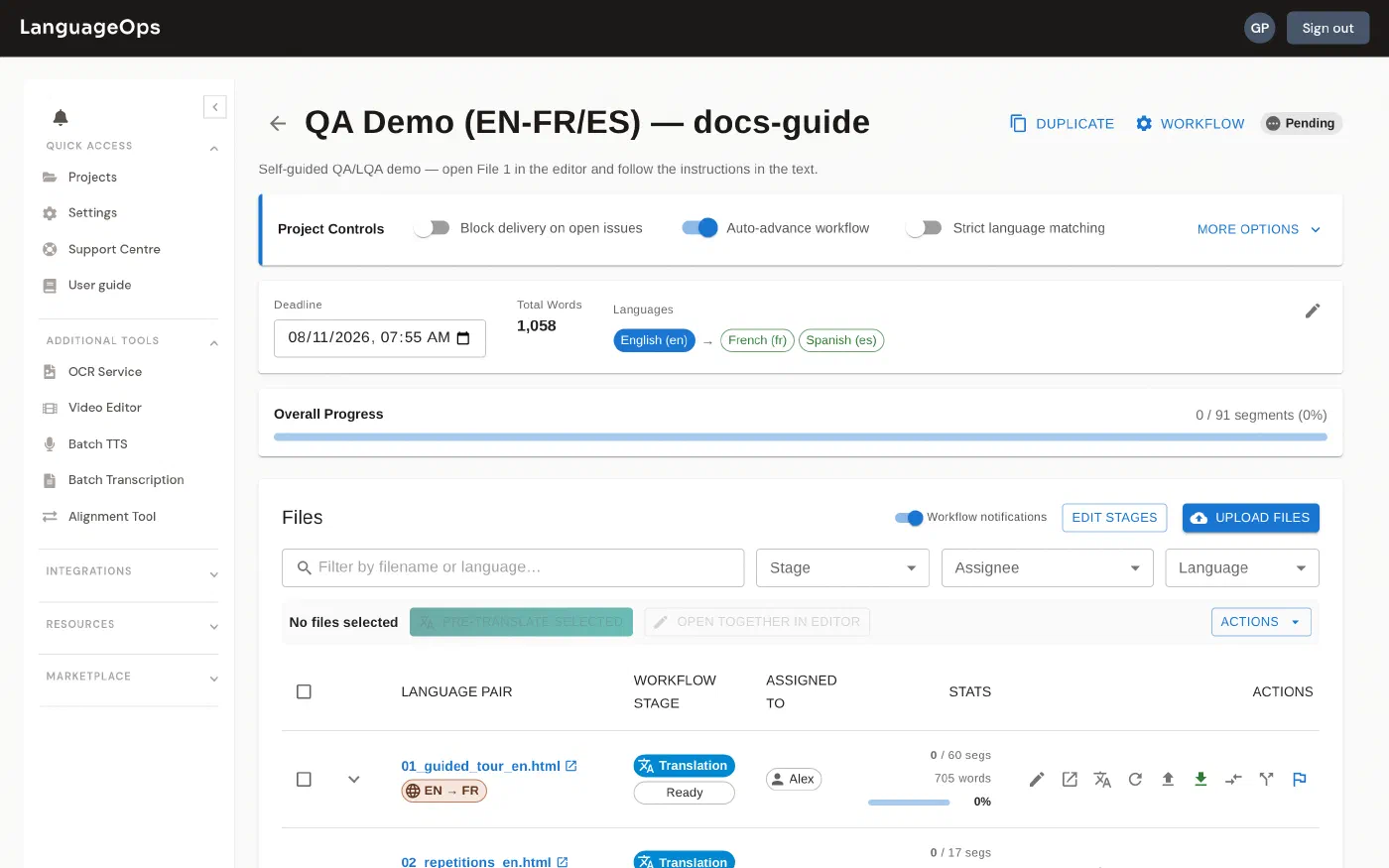
See files, languages, stages, assignments, quality state and delivery progress from the project workspace.
Automation without losing control
Automate preparation, translation, checks, assignments, review and delivery while keeping the project, language assets and decisions visible.
Templates, parallel language jobs, reusable memories, terminology, workflow stages, progress and approvals remove repetitive project administration.
LanguageOps MCP will let compatible agents prepare work, run approved translation and quality workflows, monitor progress and return results from the tools where teams already work.
Use the LanguageOps CLI for local files, scripts, repeatable bulk jobs and CI/CD. API-led teams can connect repositories and content systems to the same controlled workflow.
Assign linguists, reviewers and subject experts where the content requires them, with comments, edit history, QA/LQA evidence and final approval in one place.
See it on your content
One document or a whole multilingual programme. Tell us the languages and the deadline, and we will send a scoped price. If you would rather run the work yourself, every plan includes the same tools.