An AI translation platform you can run today, agency or not
OpenLoc is a new source-available TMS from ModelFront, free to self-host for a company’s own content. If you are a translation agency, would rather not run the servers yourself, or need more file formats, integrations or the business side, LanguageOps covers it in one hosted subscription.
- No licence restrictions for agencies
- Hosted, nothing to maintain
- 80+ file formats
What to check before you build on OpenLoc
OpenLoc has good ideas, especially AI checks that approve machine translation automatically. It is also version 0.1, released in October 2026, under a licence that is free only for translating your own business’s content. Three points from its own README and licence decide whether it fits.
-
Agencies need a commercial licence
OpenLoc uses the Business Source License 1.1, not an open-source licence. Translating for clients, hosting it for another company or building a product on it needs a paid licence from ModelFront, at a price not yet published. LanguageOps has plans built for agencies.
-
Public beta, no warranty
The README warns of bugs, missing features and breaking changes between releases, and asks self-hosters to back up before every upgrade. LanguageOps is a hosted service: upgrades, backups and security fixes are ours to run.
-
No content connectors yet
OpenLoc’s own guide says none of the CMS integrations in its app is connected yet. LanguageOps connects to the systems your content lives in today, from Phrase and Lokalise to WordPress and GitHub.
Bring your memories, terms and work in progress
- Export
Take your data out of OpenLoc
Export translation memories as TMX and term bases as TBX, and download a bilingual XLIFF for any job still in progress.
- Import
Load it into LanguageOps
TMX and TBX import into your translation memories and termbases with their language pairs. Bilingual XLIFF files keep their existing translations as the final text.
- Configure
Set up AI and checks once
Choose the AI model per project, attach your memories and terms, and pick the QA checks and LQA categories your reviewers use.
- Run
Start with one project
Run a real project end to end and compare the delivered file with what you get today before moving the rest.
The parts OpenLoc does not cover yet
Both are AI-first TMSs with translation memory, terminology, a CAT editor and QA. These are the differences that come up most when teams compare them.
80+ file formats
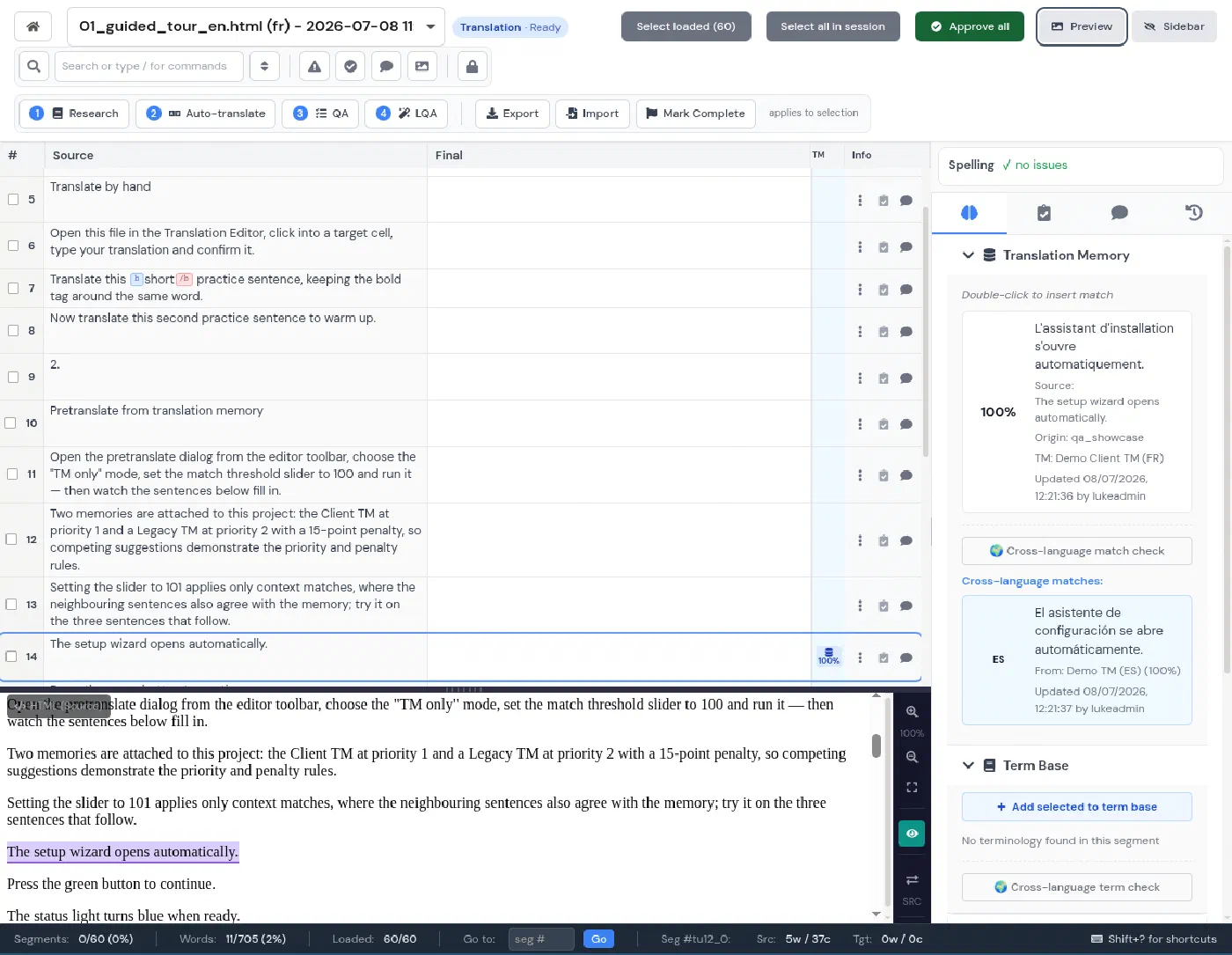
Office files including legacy .doc and .xls, InDesign IDML, XLIFF 1.2 and 2, YAML, .properties, subtitles and scanned PDFs, rebuilt in the original format. OpenLoc reads 13 formats, does not read XLIFF 2 and gives no translated PDF.
Very large files
JSON, spreadsheets and XLIFF files far beyond OpenLoc’s 50 MB upload limit, with splitting and key or column filters so you only translate what matters.
Connectors
Phrase, Lokalise, Crowdin, WordPress, SharePoint, Zendesk, GitHub and GitLab, so content arrives and goes back without manual exports.
Screenshots as context
Screenshots linked to string keys appear in the editor next to each segment and are sent to the AI with the text, so a button label is translated as a button.
Your choice of model, including local
OpenAI, Anthropic Claude and Google Gemini, or Privacy Mode with a model running on your own hardware. A self-hosted OpenLoc refuses AI providers on a private network.
QA and scored LQA
Rule-based checks on every segment, spelling in about 40 languages, and LQA scorecards by error category and severity when a client wants evidence of quality.
Business management
Rate cards with match-band discounts, quotes priced from the file analysis, purchase orders, client and supplier invoices, and Xero sync. OpenLoc tracks customers as project labels only.
Beyond documents
Video subtitling and dubbing, live interpreted meetings, and transcreation of marketing content, on the same account.
Agents and automation
An API, a command-line tool and an MCP server, so Claude, ChatGPT or your CI pipeline can create projects, run translation and QA, and fetch the results.
Published prices, agencies included
Pay per job from £39 with no subscription, or subscribe from £25/month for a single linguist to £2,500/month for agencies. The CAT editor, translation memory, terminology, AI translation and QA are on every plan. OpenLoc is free to self-host for your own content; its hosted service and its commercial licence for agencies have no published price yet.
OpenLoc and LanguageOps compared
| OpenLoc | LanguageOps | |
|---|---|---|
| How you run it | Self-host with Docker, or hosted (early access) | Hosted; on-premise on Enterprise |
| Licence | Business Source License 1.1; agencies need a commercial licence | Subscription or pay per job, agencies included |
| Maturity | Version 0.1, public beta | In production |
| CAT editor, translation memory, terminology | Yes | Yes |
| Automatic approval of good machine translation | Yes, a core feature | Scored QA and LQA with filters to low-scoring segments |
| AI models | OpenAI, Claude; DeepL, Google and LibreTranslate for machine translation | OpenAI, Claude, Gemini, local models in Privacy Mode |
| File formats | 13, XLIFF 1.2 only, PDF import only | 80+, including IDML, XLIFF 2, legacy Office and scanned PDFs |
| Upload limit | 50 MB per upload | Built for very large files |
| CMS and repository connectors | None connected yet | Phrase, Lokalise, Crowdin, WordPress, SharePoint, Zendesk, GitHub, GitLab |
| Screenshot context for strings | No | Yes, in the editor and sent to the AI |
| QA | Nine checks, spelling and grammar | Rule-based checks, spelling in about 40 languages, LQA scorecards |
| Quotes, purchase orders, invoices | No | Yes, with Xero sync |
| AI assistant and MCP | Built-in assistant and MCP server | MCP server, CLI and API |
| Video, live interpreting, transcreation | No | Yes |
| Price | Free to self-host for own content; hosted and agency prices not published | Published, from £25/month or £39 per job |
What OpenLoc does well
OpenLoc comes from ModelFront, which has worked on machine translation quality estimation for years, and it shows. Its AI workflow steps judge each machine-translated segment, approve the ones a professional would accept, post-edit the rest, and keep “auto-approved” as a status separate from a human approval, so the analysis shows how much a person actually read. It also has a built-in assistant that can answer questions about your projects and draw charts, custom dashboards, and an extension system for adding AI vendors. If you translate only your own company’s content, have engineers who can run and back up a Docker installation, and work mainly with the formats it supports, it is worth trying.
When LanguageOps is the better fit
- You are an agency or LSP. OpenLoc’s licence does not allow free use for client work. LanguageOps is built for agencies, with client and vendor portals and the business side included.
- You do not want to run servers. Upgrades, backups, monitoring and security fixes are part of the subscription.
- Your files are varied or very large. InDesign, legacy Office files, XLIFF 2, YAML, subtitles and files of hundreds of megabytes are routine.
- Your content lives in another system. Connectors move it in and out without manual exports.
- You price and invoice the work. Quotes come from the same file analysis the translators see, and invoices sync to Xero.
The translation management system and AI translation platform pages cover each side in more detail, and the TMS pricing comparison covers annual costs across vendors.
OpenLoc and ModelFront are trademarks of their respective owners. LanguageOps is not affiliated with or endorsed by them. Comparison reflects OpenLoc version 0.1.0 and its public documentation as of October 2026.
OpenLoc and LanguageOps, explained
Is OpenLoc open source?
Can a translation agency use OpenLoc for free?
What does the 'public beta' warning in the OpenLoc README mean?
Does LanguageOps approve machine translation automatically like OpenLoc?
Can I self-host LanguageOps?
Can I move my OpenLoc data to LanguageOps?
Does OpenLoc connect to my CMS?
Compare them on your own files
Book a walkthrough and bring a file you would translate in OpenLoc. We will run it through translation, QA and delivery in LanguageOps while you watch.